
0.10.0
Head Turner and sharper depth
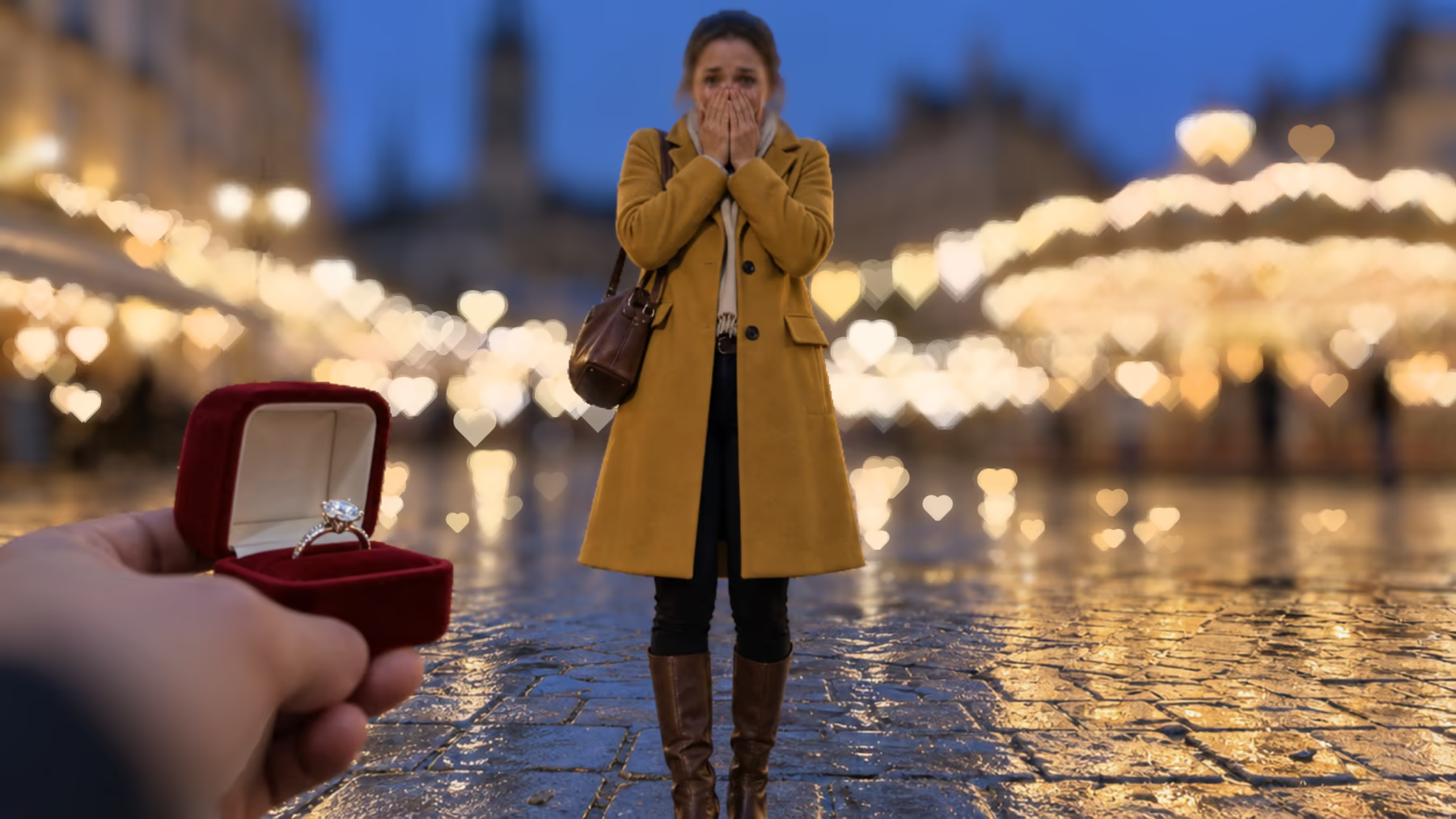
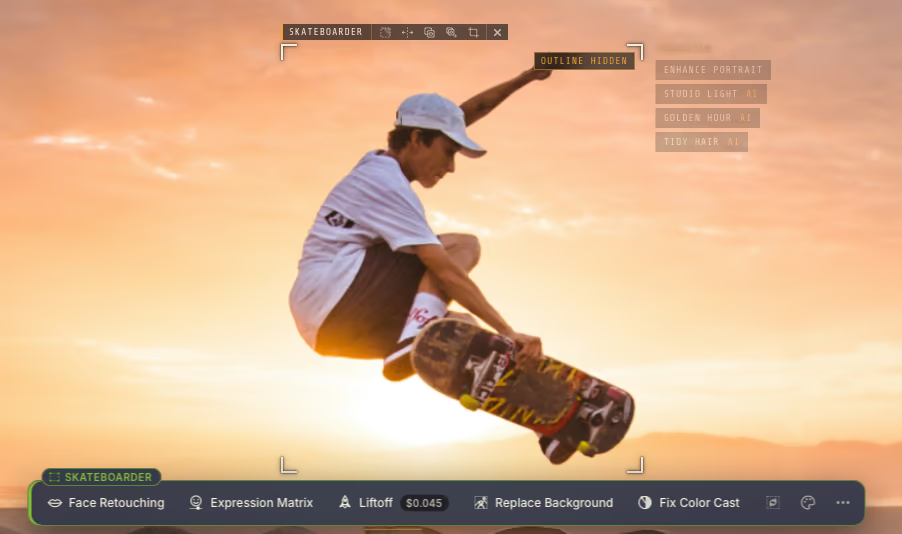
Head Turner turns a face toward the camera and aims the eyes, live on the picture, then renders it with AI. Every depth effect now works from a much sharper depth map that keeps hair, fingers and branches crisp, and Depth Blur can turn lights into hearts. The action bar is redesigned, with the box for typing an edit open from the start.
New
Head Turner
Turn someone's head after the photo was taken. Open Head Turner on a person, click a face, and drag the head on the picture: it turns as you drag, free and on your own Mac, with scales marked in degrees showing how far it has turned from how it was shot. Set the eyes to Look at camera or Follow the head, or aim them yourself with the eye control in the frame's corner. It works on realistic painted portraits too.
Apply re-renders the face with AI at the resolution it needs (the button shows the price) and matches it to the photo's focus, color and grain. Look it over, then keep it as a new layer above your photo, or discard it and adjust. Head Turner is marked Experimental while it's being refined.
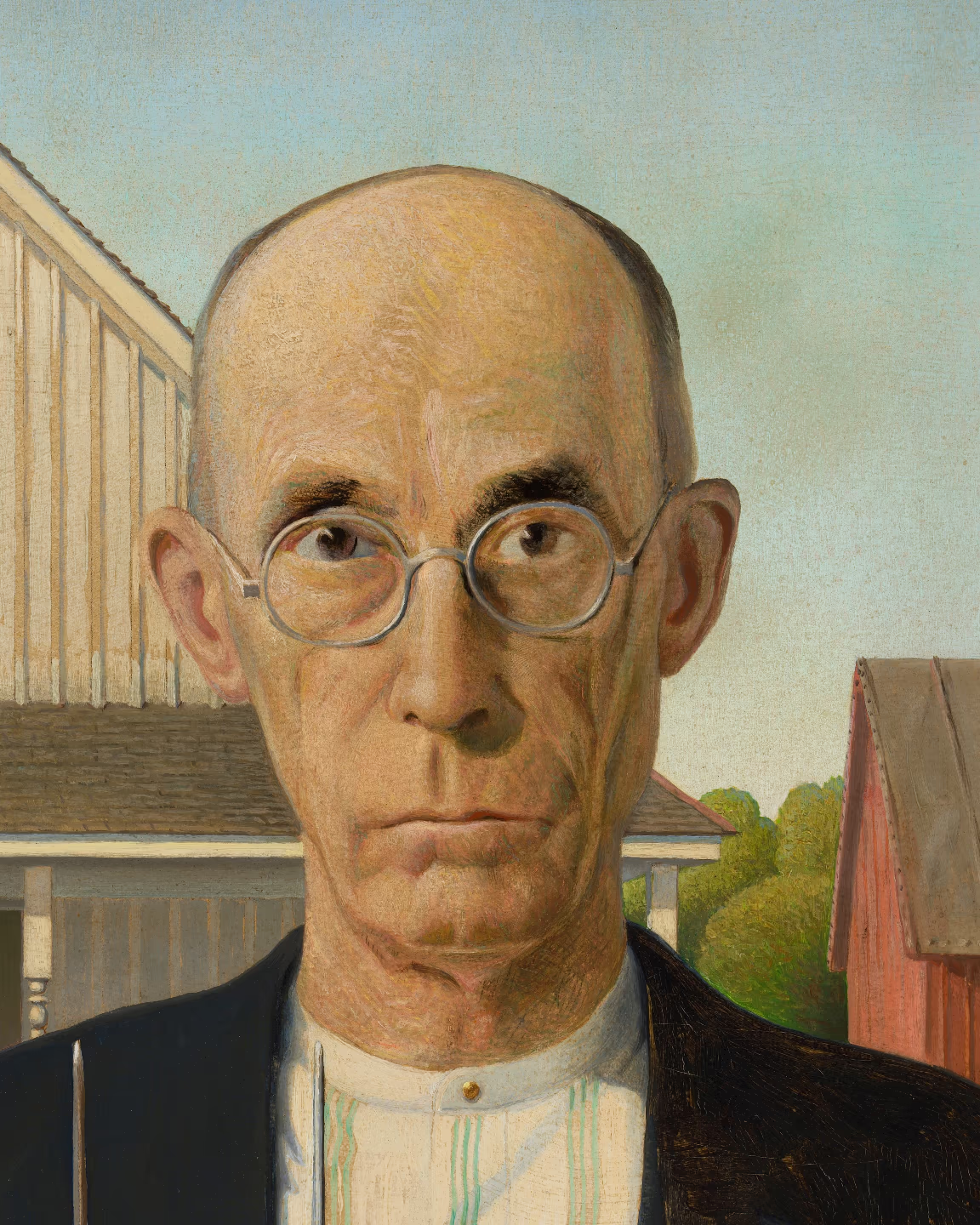 Before
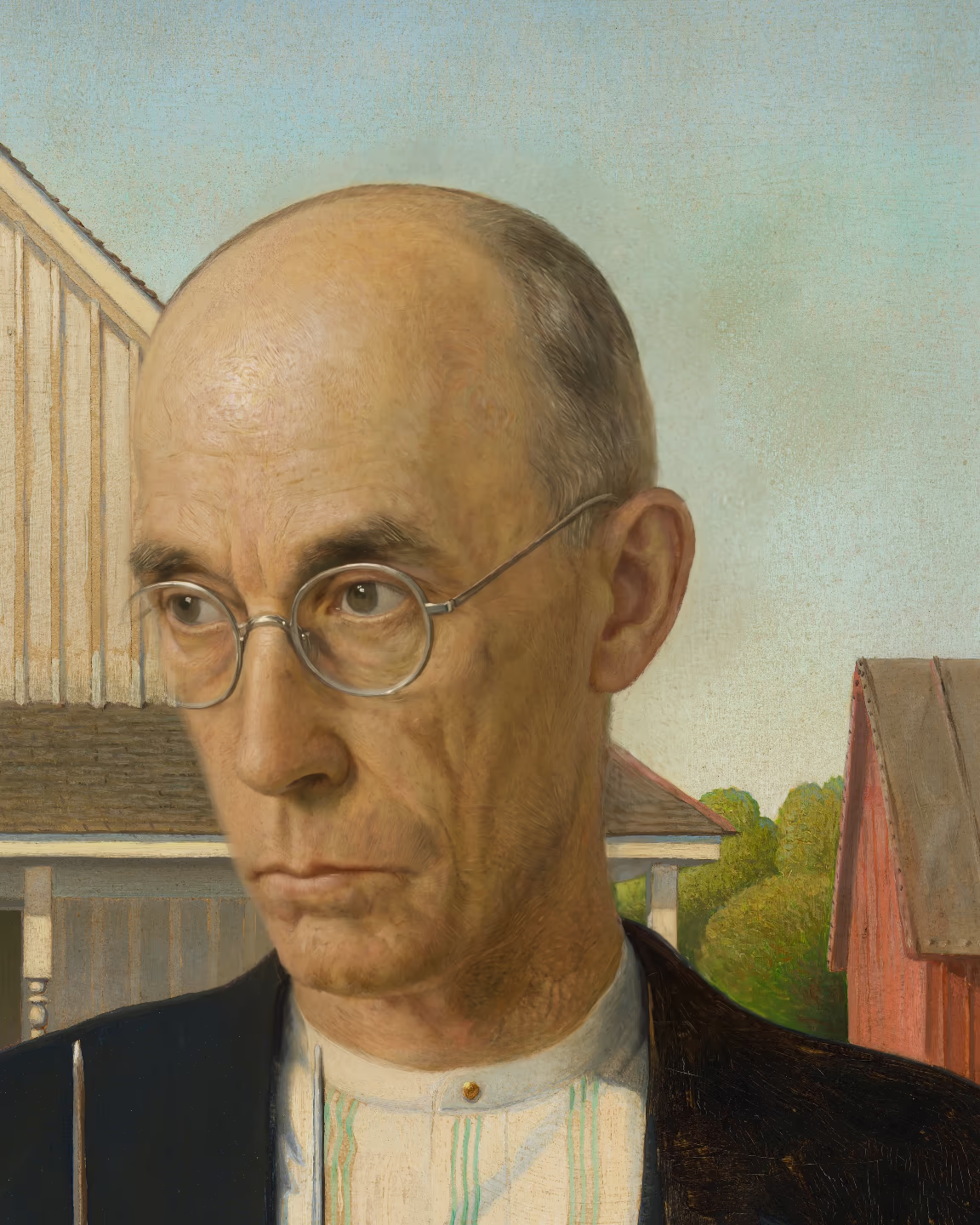 After
Sharper depth, and heart-shaped bokeh
Depth Blur, Fog, Relight Depth, Tilt-Shift, Sunrays, Depth Mask and Select by Depth now work from a depth map built from many close-up passes over the picture, so hair, fingers, whiskers and branches keep their edges instead of smearing into the blur. It runs on your Mac's graphics chip in about a second, with its progress shown while it works. Select ▸ Sky uses it too, and now follows palm fronds, tree crowns and railings. The Marigold cloud depth models are gone: the map made on your Mac is as good, free and offline. The first-run download is smaller too.
Depth Blur's Bokeh adds heart, anamorphic, sparkle and crescent highlights, and the star has a better shape.
A new action bar
The action bar opens with the Replace with AI box ready, so you can type the change you want in your own words straight away. A toggle switches that top row to a new palette instead: My colors, or colors From this image. Click a swatch to paint with it, right-click for the background color. The suggested edits sit on the bottom row, a tab above the bar names what you're editing, the tools explain themselves when you hover over them, and More is a ⋯ button.
Improved
-
Room Lights in the Interiors tab
Room Lights now lives in Relight Scene's Interiors tab instead of opening a dialog of its own, and a photo of a room opens straight on it. Opening it no longer starts the paid scan for lamps and windows: press Find the lights, which shows its price, and a photo you scanned before gets its lights back for free. Add a light the scan missed shows its price too. Daylight is white, turning gold only when the sun is low, moonlight bounces round the room, and Render final follows the beams of light more closely.
-
Before and after
When you compare before and after, the divider sweeps across the picture from Before to After, then settles to one side.
-
Detected objects come back instantly
After an undo or redo, or hiding and showing a layer, the objects found in the picture come back right away instead of after a few seconds of searching again. Adding or adjusting a live filter no longer sets off a new search.
-
Saving starts in the right folder
Save As and Export As never start in a hidden or temporary folder, as they did for a Mail or Messages attachment or a dragged-in screenshot thumbnail, and ⌘S on such a photo asks where to save it. A photo with no folder of its own starts in the last folder you saved to.
-
Smoother updates
After this update, the app tells you which version it updated to. From the next update on, it also comes back in front of your other windows instead of behind them, without the "Recovered from an unexpected restart" message, and any unsaved work is offered back as before.
-
Smaller touches
The buttons at the top right are icons with larger glyphs and hover cards, Feedback sits at the left end of the zoom pill, and the Layers, History and Histogram panels have glyphs in their headers. The Welcome screen has new taglines: click one to see the next.
Fixed
- Room Lights' preview no longer shows the room upside down after another filter has been used, and its lamps switch on again.
- Depth effects no longer treat a strip along the top and bottom of a wide photo as the nearest thing in it.
- Messages in the bottom-right corner no longer cover the buttons of a dialog docked there, such as Adjust Edge's Apply.
- Text fields in New AI Style Transfer, Save as Template, Save as Style and Send Feedback are full height again.
- The open photos to pick from in New AI Style Transfer wrap onto more rows instead of hiding under a scrollbar.
- Objects found in the picture no longer flash up announcements on the canvas.
- The action bar's More sheet no longer shifts when you hover over it.
- Opening the full Replace with AI dialog from an empty box no longer shows "[object Object]".